How to read the scheduling grid
Boats down the side, days across the top — the wall chart, without the pencil dust.
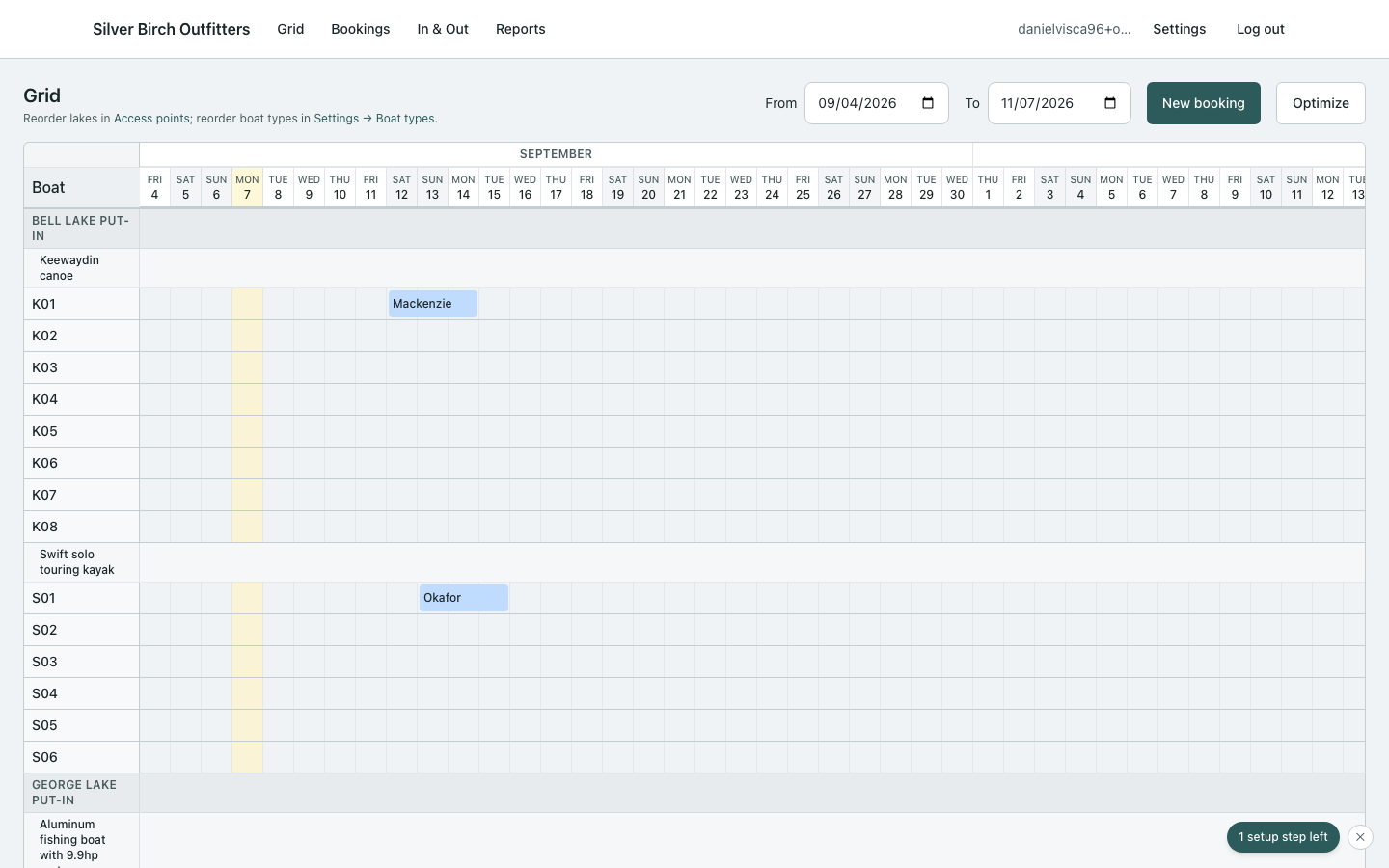
What you’re looking at
- Each row is a physical boat (code + type).
- Blocks are bookings on that hull for those dates.
- Colors follow status; amber attention means inventory or sync needs a human.
Useful moves
- Drag a block to move dates or boats (see move and edit).
- Click a block for the side panel — customer, edit, cancel booking.
- Click empty days (or drag a range) to start a booking. Dashed blocks show the slots on the form until you Save — and you can drag a dashed block to another boat or other days before saving.
- Date range at the top filters the season you’re staring at.
- The expand icon fills the window with the board (Esc or the same icon to leave).