How to add your fleet
Physical hulls on the grid: how many, how you tag them, where they sleep.
In setup
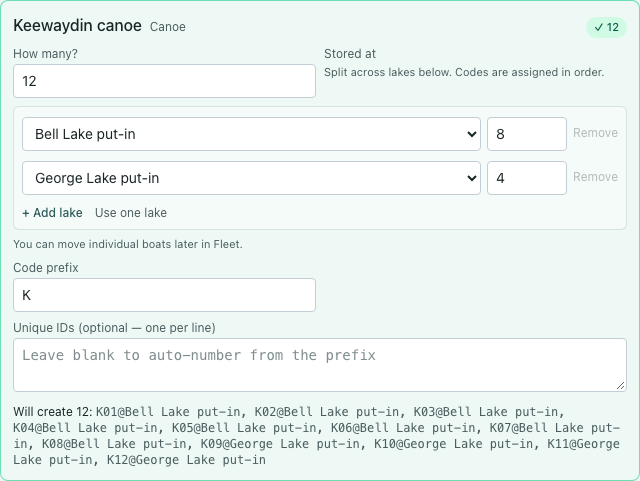
- On the Fleet step, set How many? per type.
- Set code prefix or paste unique IDs (one per line).
- Stored at — one lake for most types.
- If eight Keewaydins live at Bell and four at George, click Some are at another lake… and split the counts. Codes assign in order.
After setup
- Fleet page — add one boat, bulk add, or edit home lake per hull.
- Moving a boat’s home lake later is normal; the wizard doesn’t need to be perfect.
- Want "Winterized" instead of "Maintenance"? See How to name your own hull statuses.